









.webp)

.webp)
.webp)





%20(1).avif)



Visitor management in a business involves several steps: inviting visitors, checking them in, granting access to facilities, and tracking their visits. Visitor management software streamlines these steps and reduces the workload on the reception team. The flex office solution integrates this module into internal communication tools to simplify the process of inviting and checking in external visitors.
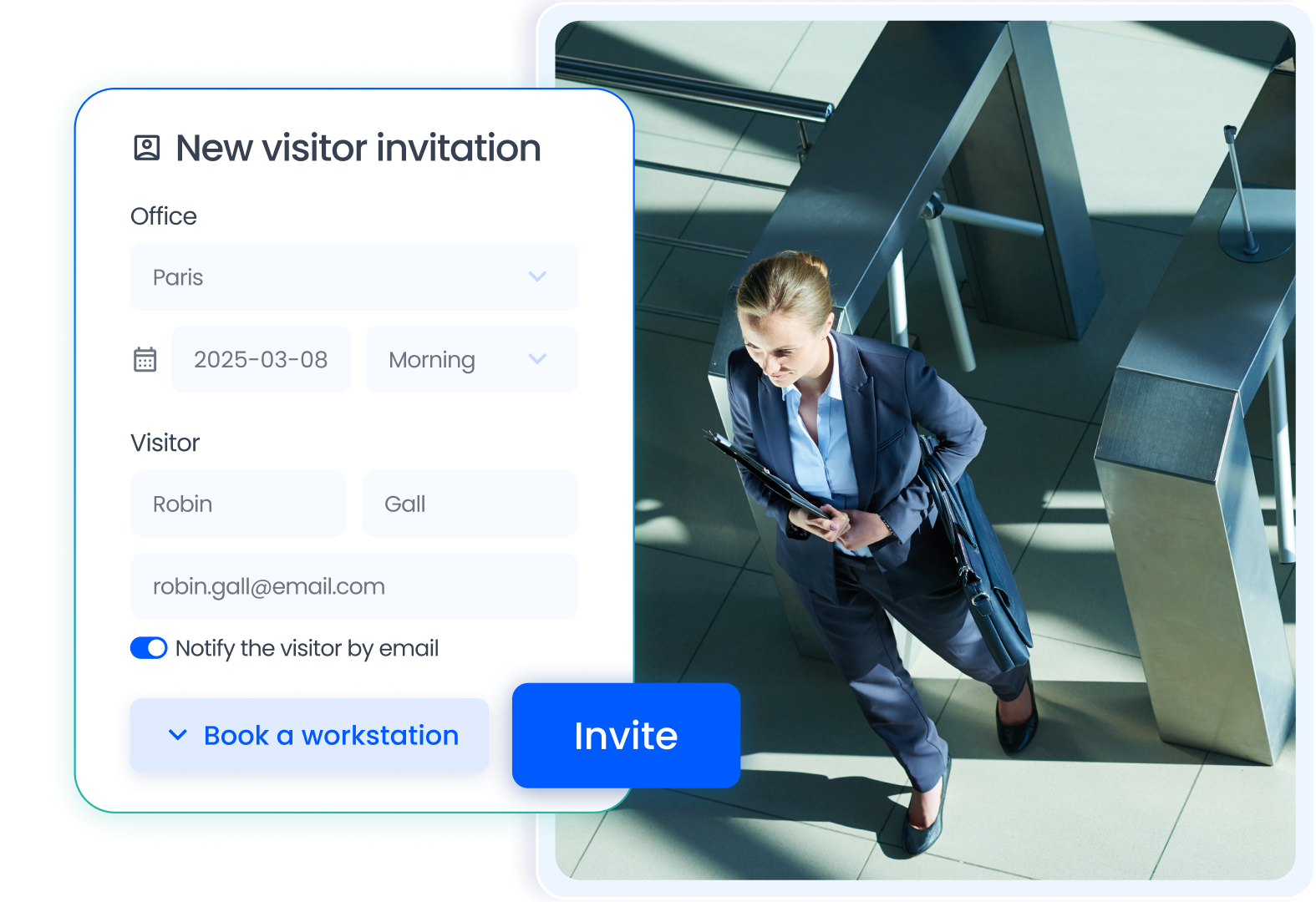
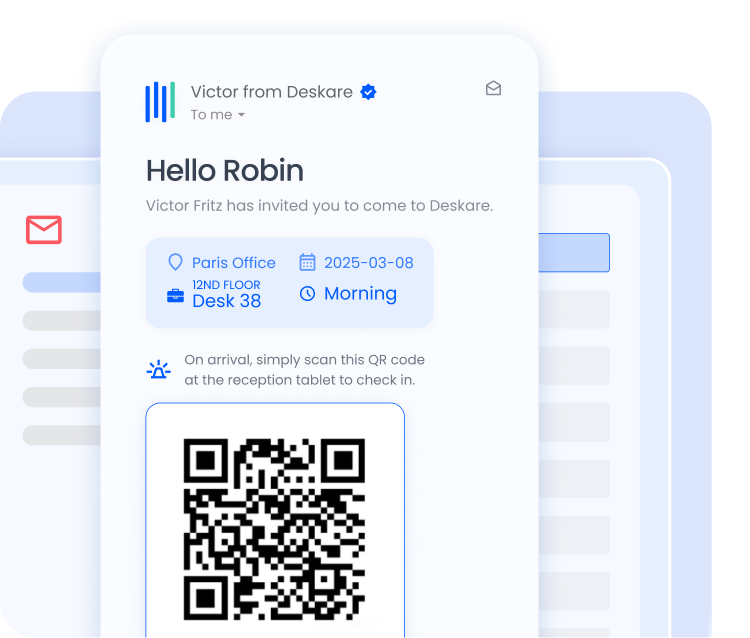
Hosting corporate visitors starts with the invitation. An employee can invite an external guest with a single click via Teams, Slack, or Google Chat. The visitor automatically receives an email with practical information, a map, and a QR code to check in independently upon arrival.
The company visitor log is automatically updated each time a visitor enters the premises. The recorded data includes the visitor’s identity, arrival time, duration of the visit, and the employee who greeted them. This information is available in real time to security teams.
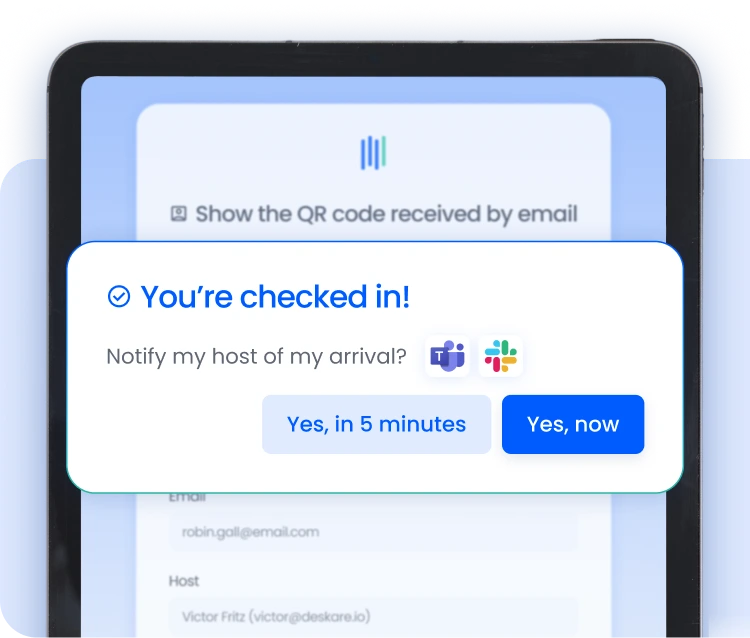
Digitizing the visitor check-in process reduces the time the reception team spends on each visitor. Visitors check in on their own by scanning the QR code displayed on a tablet.
The flexible office solution and the visitor module share the same attendance data. When an employee hosts a visitor, they can reserve a workstation next to theirs. Desk booking handles this reservation through the same interface.
The meeting room reservation software rounds out the system. Employees reserve a room for their meeting with an external guest when sending the invitation. This ensures that the visitor has a dedicated space upon arrival, without any additional arrangements.
The visitor management software secures access to office spaces by maintaining a digital record of every visit. The information collected complies with GDPR requirements and is hosted in France. The data is accessible to security teams in real time.
The workplace management solution integrates visitor data into its dashboard. Workplace managers can view the number of visitors per day, per location, and per employee. This information complements occupancy data to provide a comprehensive overview of space usage.
Automatic alerts notify the host employee as soon as a visitor arrives. This allows them to greet the visitor promptly without having to wait at the front desk. This feature enhances the visitor experience and boosts the company’s image.
The employee sends an invitation via Teams, Slack, or Google Chat. The visitor receives an email with access information and a QR code to check in on their own. The visitor management software handles the check-in process without human intervention.
No. Visitors check in by simply scanning the QR code they received on a tablet at the entrance. No app installation is required.
Yes. The company visitor log is hosted in France and complies with GDPR requirements. The data collected is limited to what is necessary, and the retention period can be configured.
Yes. When sending an invitation, the employee can reserve a seat next to theirs for their visitor. The reservation is integrated into the desk booking module and appears on the interactive floor plan.
Yes. The employee receives a notification in their communication tool as soon as their visitor checks in at the front desk. This allows them to greet the visitor promptly without having to wait at the front desk.

.avif)
.avif)




.png)
.png)


