









.webp)

.webp)
.webp)


.avif)
.avif)

.avif)





%20(1).avif)



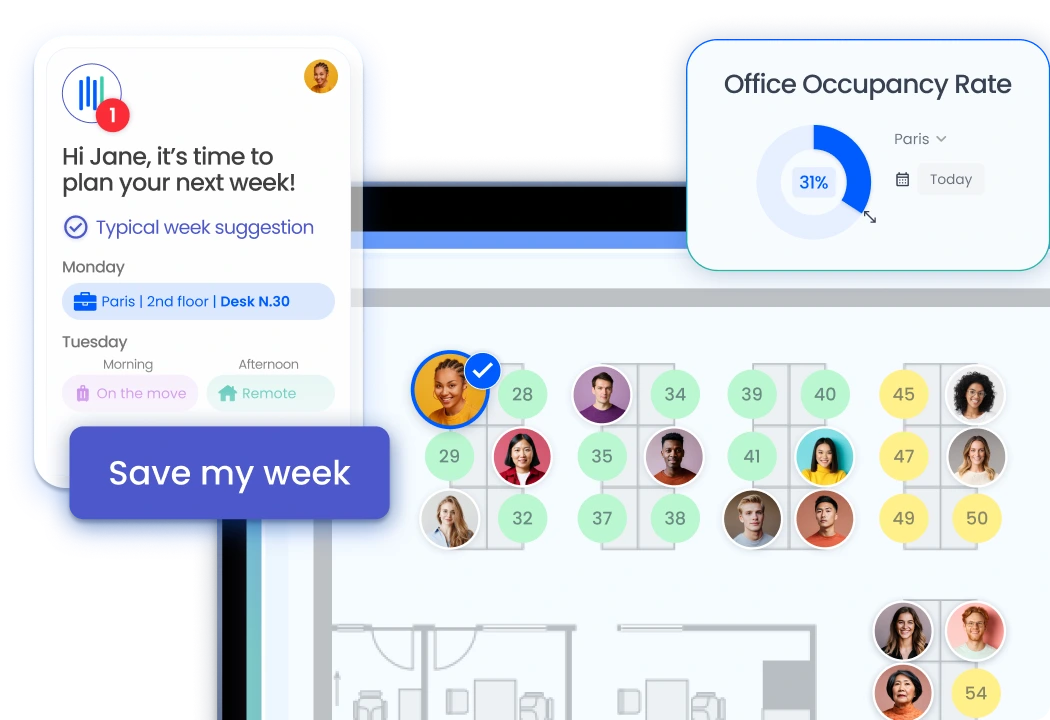
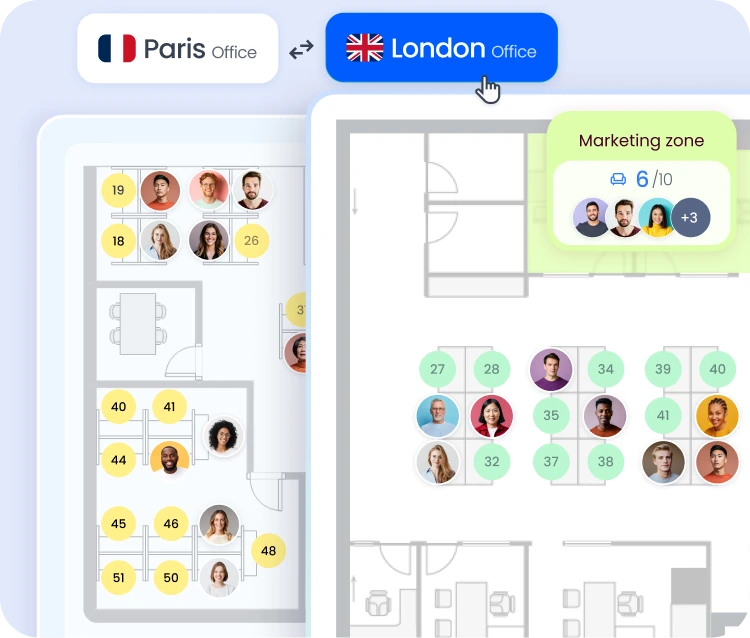
The desk booking feature allows employees to reserve a workspace in a flex office. Each day they come to the office, they select their space on an interactive floor plan and sit next to the colleagues they work with. The flex office solution integrates this feature into Teams, Slack, and Google for a seamless experience.
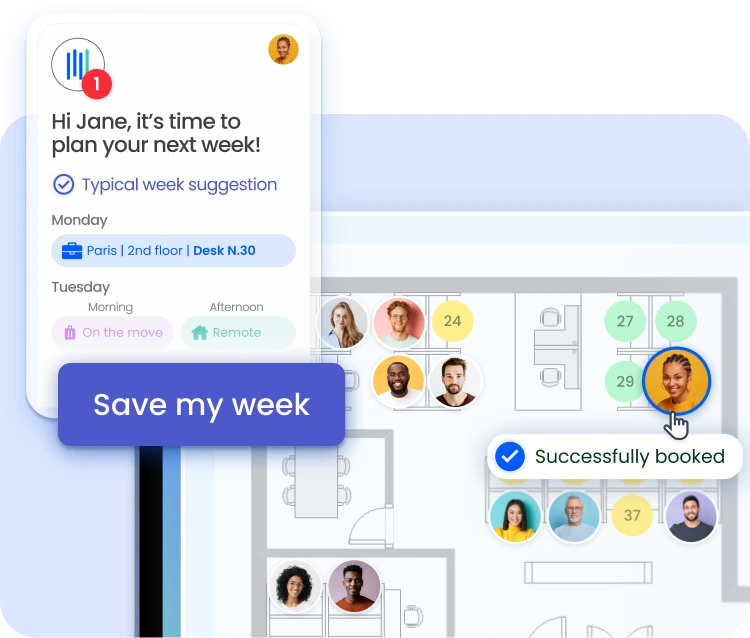
The desk booking software automatically suggests each employee's preferred desk during the weekly reminder. It remembers their preferences, and the reservation is confirmed with a single click. This feature reduces the time spent on scheduling and improves satisfaction in the office.
The office reservation system displays real-time desk availability on a floor plan. Employees can see who is sitting where and choose their seats with full knowledge of the situation. This transparency encourages interactions among colleagues and strengthens team cohesion.
The booking software works within Teams, Slack, Google Chat, and the mobile app. Employees don’t need to log in to a separate interface. Bookings can be made directly from the tool they already use, in less than thirty seconds. The Flex Office software ensures rapid adoption thanks to this native integration.
The desk booking system synchronizes reservations with the staff schedule. A day marked as remote work automatically remote work the reserved desk. An absence recorded in the HRIS has the same effect. The hybrid work solution benefits directly from this synchronization.
The desk booking app includes social features. Employees can see which days their favorite colleagues are in the office and plan their visits accordingly. The workplace management solution uses this data to measure actual space occupancy and adjust the layout.
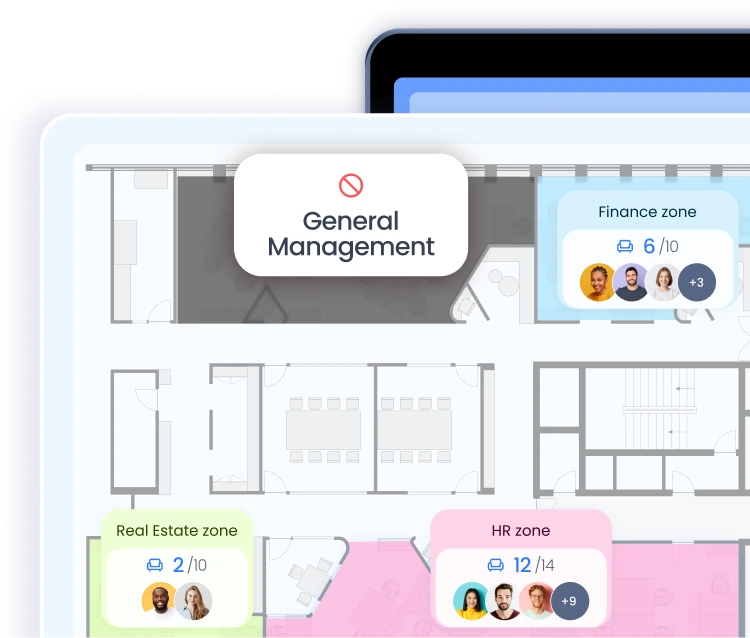
Workstation reservations are configured according to each company's policies. Some workstations are fixed, while others are entirely flexible. Certain areas are reserved for specific teams. The desk reservation software applies these rules automatically without requiring any special development.
The office booking tool also manages equipped workstations: docking stations, large screens, and specialized equipment. Employees can filter workstations based on their needs and quickly find the right space. Meeting room reservations are made through the same interface, allowing for seamless organization in just a few clicks.
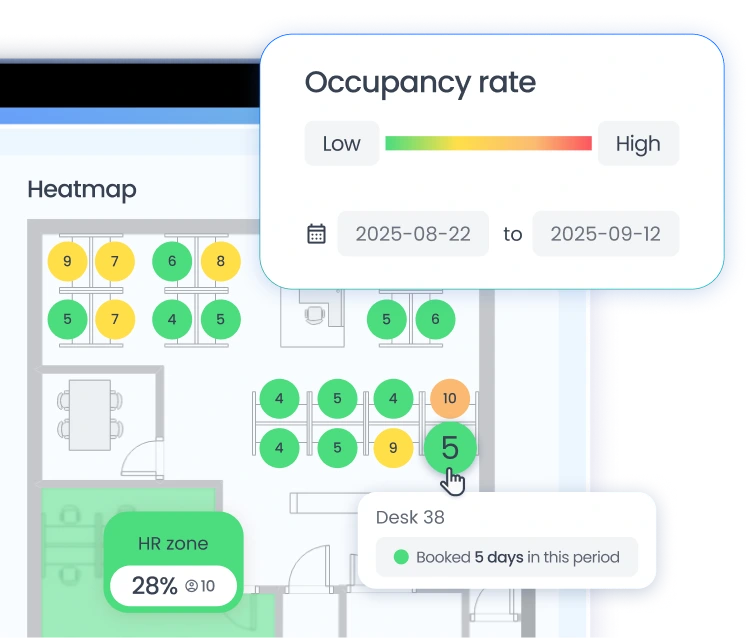
The desk reservation solution provides detailed occupancy statistics. Workplace managers can identify the most in-demand areas, underutilized workstations, and trends by team. This data informs layout decisions and real estate planning.
The employee opens their communication tool (Teams, Slack, or Google Chat) and accesses the desk booking system. They select their desk on the interactive map and confirm with a single click. The reservation immediately appears in the shared schedule.
The slot becomes available automatically as soon as an employee updates their schedule. Other employees can see the available slot in real time and book it.
Yes. The desk booking software allows you to reserve a desk for the day, the week, or several weeks in advance. Your preferences are saved, and recurring reservations can be set up in just a few seconds.
Yes. Each workstation is categorized based on its equipment: docking station, dual monitors, special equipment. Employees can filter the workstations according to their needs and quickly find the right one.
The desk booking system manages multiple locations, each with its own floor plans, rules, and statistics. Employees who work at multiple locations can reserve their desk at each office using the same application.

.avif)
.avif)




.png)
.png)


