









.webp)

.webp)
.webp)


.avif)





%20(1).avif)



Booking meeting rooms is often a source of confusion in hybrid offices. Rooms are occupied, misused, or reserved for meetings that are canceled. Meeting room booking software resolves these issues by centralizing availability and automatically releasing unused time slots. The Flex Office solution integrates this module directly into existing communication tools.
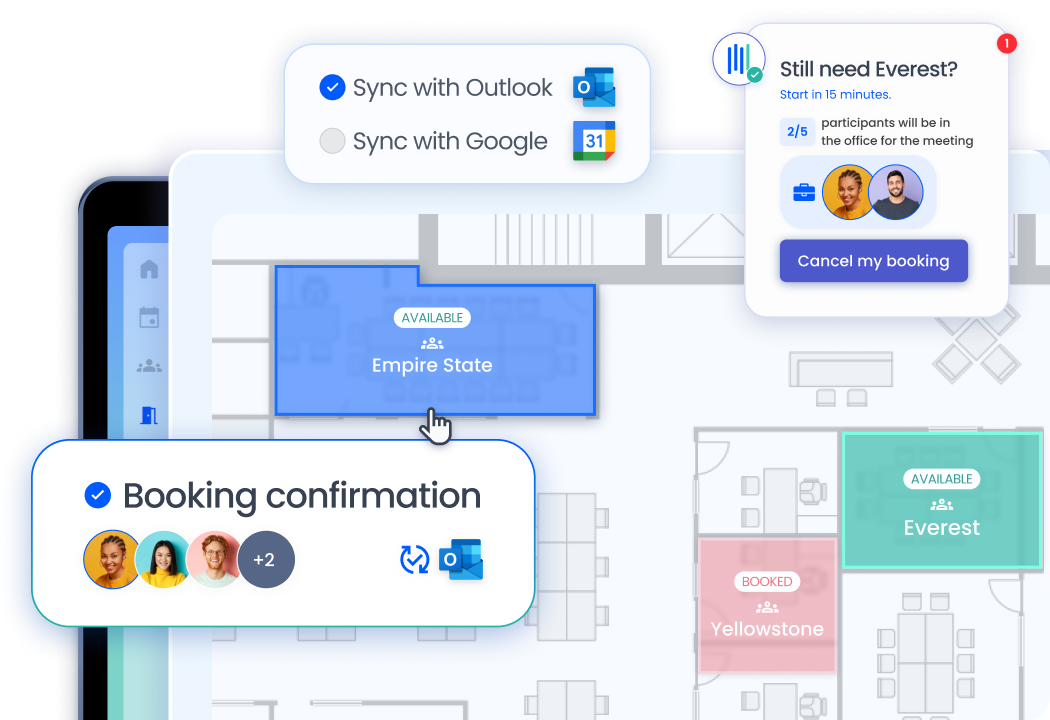
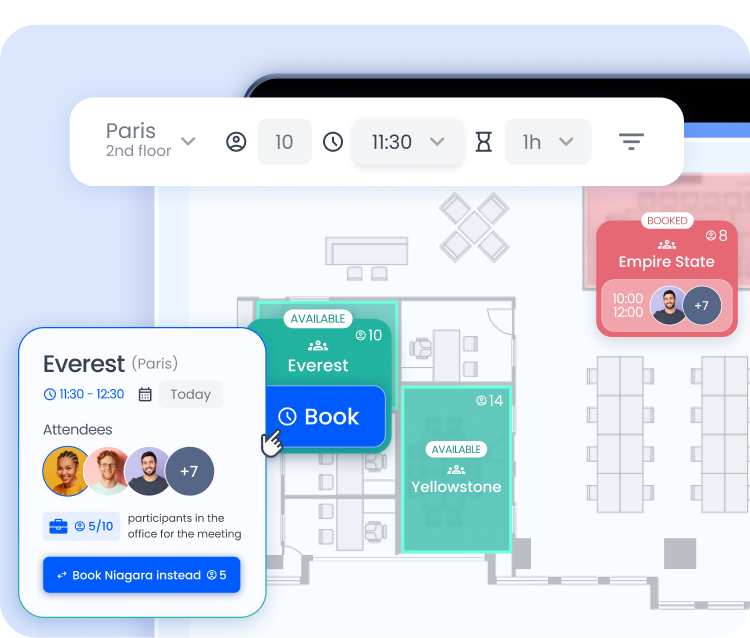
Effective meeting room management requires a real-time view of available spaces. Employees can check which rooms are available via Teams, Outlook, or Google Calendar and book them in just a few seconds. They can see each room’s capacity, available equipment, and location on the floor plan.
Meeting room scheduling is synchronized with the attendance schedule. When a meeting is scheduled, the software checks how many participants are on-site that day and suggests a room suitable for that number. This feature prevents a large room from being reserved for just two people.
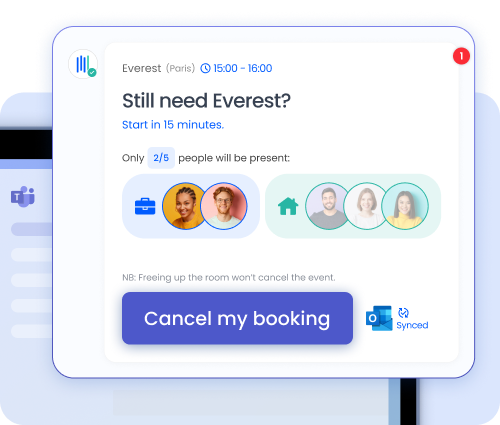
The meeting room management software sends an automatic reminder before the start of each meeting, specifying the number of participants in the office. If an employee no longer needs the room, they can release it with a single click. This system reduces phantom bookings and improves space utilization rates. The flex office software uses this data directly to display real-time availability.
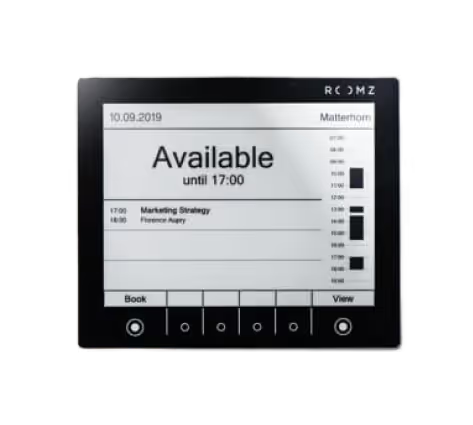
The system is rounded out bya display showing meeting room availability on a screen or tablet at the entrance to each room. Employees can see at a glance whether the room is available and for how long. They can book it immediately from the screen without having to use their computer.
The booking system operates in parallel for workstations. Both modules share the same occupancy data. This gives workplace management a comprehensive overview of the occupancy of all spaces.
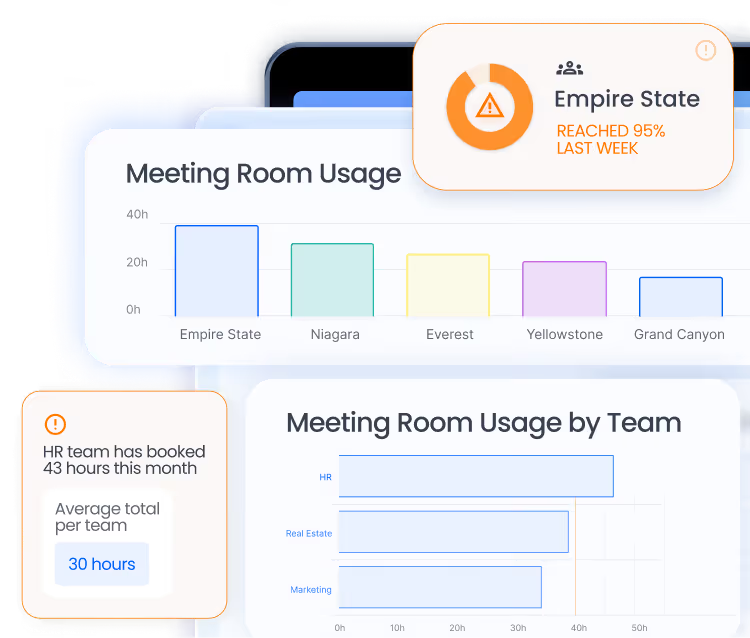
The meeting room booking app generates detailed data on the usage of each space. Workplace managers can identify the most in-demand rooms, those that remain empty, and the busiest time slots. This information informs decisions regarding space planning and investment.
The meeting room booking tool also tracks cancellation rates and adherence to booked time slots. A room that is frequently booked but rarely used can be repurposed as a quiet study area or an informal collaboration zone. These adjustments improve employee satisfaction and real estate profitability.
Visitor management is integrated into the room reservation module. When an employee invites an external guest, they can reserve a room for them at the same time. The visitor receives all the necessary information to find their way there without assistance.
The Microsoft Teams integration lets you book a meeting room directly from the Teams interface without switching tools. Availability is displayed in real time, and the booking is confirmed with a single click.
The meeting room management software automatically releases the room as soon as the meeting is canceled in the calendar. The room becomes available again immediately for other employees.
The software checks participants' attendance schedules and suggests a room suitable for the number of people on-site. This prevents large rooms from being reserved for meetings with few in-person attendees.
Yes. The meeting room booking software provides detailed statistics: occupancy rates, most frequently used rooms, peak demand periods, and no-shows. This data informs space planning decisions.
The platform integrates with Google Calendar, Outlook, and Microsoft Teams. Bookings appear directly in the employee's calendar and sync in real time with the room management system.

.avif)
.avif)


.webp)


.png)
.png)


